Record Google Meet on any account
Google Meet's own recording needs a paid Workspace plan and the organiser's permission. RecordBots records the Meet call you are in, right from your Chrome or Edge tab, and writes the transcript and minutes for you.
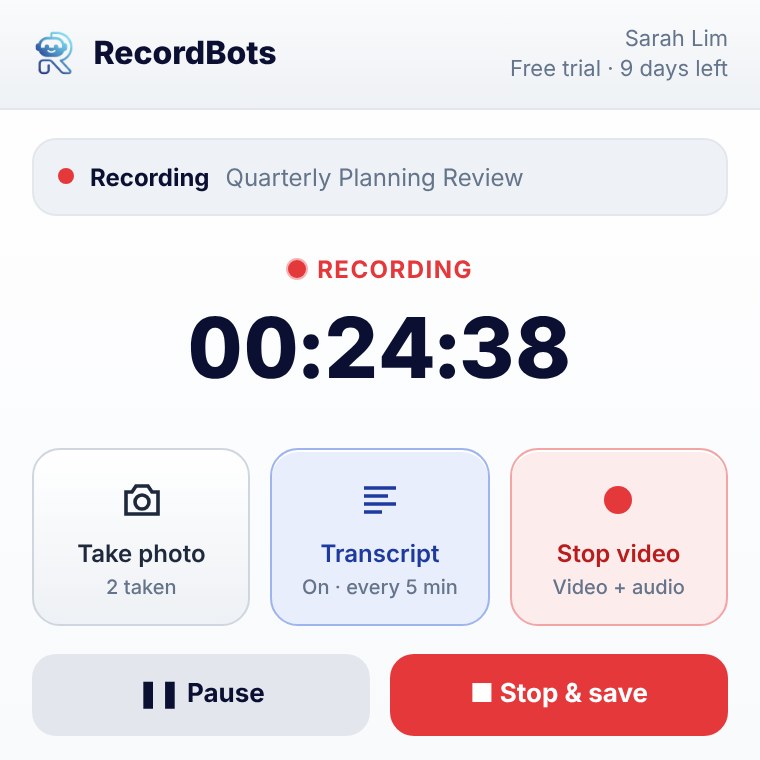
Three steps
- Open your call on meet.google.com in Chrome or Edge.
- Click the RecordBots icon and press Record (or Transcript only, if you just need the words).
- Press Stop & save. The video goes into your folder and the minutes appear in your account.
What you get after every call
- The full transcript with times, searchable in your account.
- A short summary and a list of action items, written with your own AI key.
- The video file on your computer, which you can trim in the free browser video editor.
- Photos of shared slides you took during the call.
Free Gmail accounts welcome
RecordBots does not depend on your Google plan. If you can join the call in Chrome, you can record it, as long as you tell the other people first.
Price
Try everything free for 30 days or 10 recordings, whichever comes first. No card needed. After that, plans start at $25.00 for 1 year, paid once. Nothing renews by itself. See all plans.
Questions
Is RecordBots a Chrome extension?
Yes. You install the RecordBots recorder in Chrome or Edge once. Your meetings, transcripts and settings live in your account on recordbots.com.
Does a bot join my Google Meet?
No. Some note-takers add a bot to the call. RecordBots works inside your own browser, so no extra participant appears.
Can I get only the transcript, without video?
Yes. Press Transcript only. It records the sound for the words, and no video file is saved.
Always tell people before you record a meeting. In many countries the law requires their agreement.