
Record Zoom meetings with a full transcript
RecordBots records your Zoom call right in your browser. Click Record, talk as usual, and get the video on your computer plus a written transcript, summary and action items in your account. Nobody sees a recording bot join the meeting.
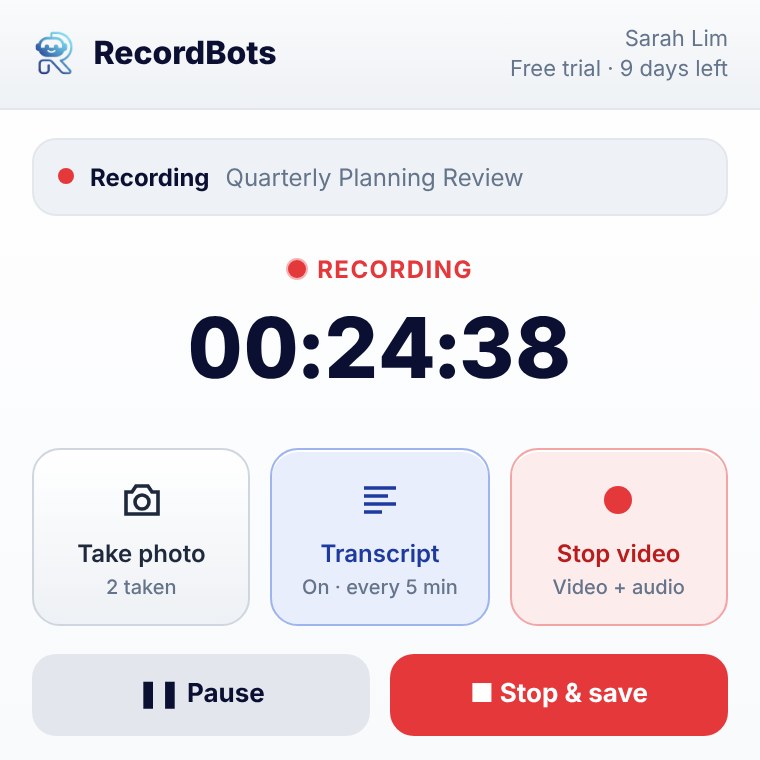
How to record a Zoom meeting with RecordBots
- Install the free RecordBots recorder in Google Chrome or Microsoft Edge and connect it to your account (one click).
- Open your Zoom meeting in the browser ("Join from your browser"), then click the RecordBots icon and press Record.
- Tell everyone you are recording. RecordBots captures the meeting's sound and picture plus your own microphone.
- Press Stop & save when the meeting ends. The video is saved in your folder, and the transcript appears under Meetings & minutes.
Using the Zoom desktop app?
You have two easy ways. Choose Record your screen in the RecordBots menu, pick your screen and tick "Also share system audio" on Windows so other people's voices are recorded. Or record with Zoom's own Record button and drop the file into Upload a recording: RecordBots writes the transcript from it.
Why record Zoom with RecordBots instead of Zoom's cloud recording?
- No bot in the participant list. RecordBots works inside your own browser tab, so the meeting looks normal to everyone.
- Your video stays on your computer, in the folder you choose. It never fills up a cloud storage limit.
- Transcripts in many languages, including Bahasa Melayu, Mandarin Chinese, Tamil and mixed-language meetings.
- Summary and action items written for you, using your own AI key (Groq has a free plan).
- Take photos of shared slides with one click, saved with the meeting.
Private by design
The sound is turned into text on your own computer. Only the written words go to your RecordBots account, where the minutes are made. The video file never leaves your computer.
Price
Try everything free for 30 days or 10 recordings, whichever comes first. No card needed. After that, plans start at $25.00 for 1 year, paid once. Nothing renews by itself. See all plans.
Questions
Does the host need to allow it?
RecordBots records what your own browser plays, so it does not need Zoom's recording permission. You must still tell everyone, and get their agreement where the law asks for it, before you record.
Will other people see that I am recording?
No bot joins the call, so please say it out loud or in the chat. RecordBots reminds you each time you start.
Can I record a Zoom webinar or a meeting I did not host?
Yes, if you can join it in your browser and you have the right to record it. Always follow the organiser's rules and the law in your country.
Always tell people before you record a meeting. In many countries the law requires their agreement.