
Record Microsoft Teams meetings and get the minutes
Not every Teams account lets you record, and Teams recordings often end up in someone else's OneDrive. RecordBots records the Teams meeting you join in Chrome or Edge and gives you your own copy: the video on your computer and the transcript, summary and action items in your RecordBots account.
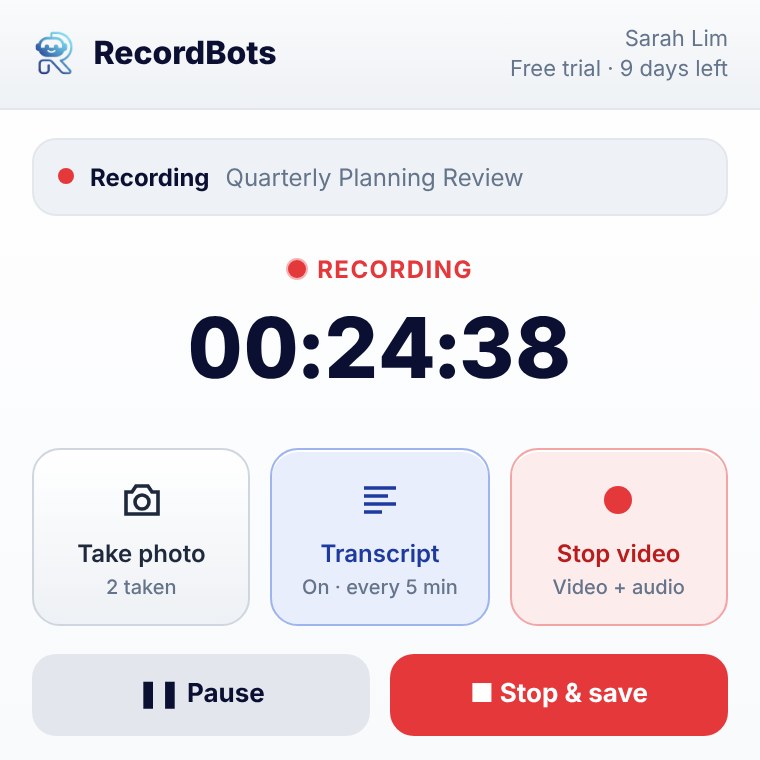
How it works with Teams
- Join the Teams meeting in Chrome or Edge (teams.microsoft.com, or "Continue on this browser").
- Click the RecordBots icon next to the address bar and press Record. Tell everyone you are recording.
- Watch the words appear in the RecordBots window while people speak.
- Press Stop & save. Your minutes are ready under Meetings & minutes, and you can print them or save a PDF.
Using the Teams desktop app?
Choose Record your screen in the RecordBots menu, pick your screen and tick "Also share system audio" (Windows). Or upload a recording file you already have, and RecordBots writes the transcript.
Made for busy teams
- Who said what: your own words are marked with your name, other people's as "Others".
- Ask AI during the meeting: "What did we decide about the budget?" and get an answer from the transcript so far.
- Meeting reminders from your Google or Outlook calendar, with a sound, even when the website is closed.
- Works in English, Bahasa Melayu, Mandarin Chinese, Tamil, Indonesian, Hindi, Thai, Vietnamese and more.
Price
Try everything free for 30 days or 10 recordings, whichever comes first. No card needed. After that, plans start at $25.00 for 1 year, paid once. Nothing renews by itself. See all plans.
Questions
Do I need a Teams licence with recording?
No. RecordBots records the meeting from your browser tab, so it works with any Teams account you can join with. You still need to tell people you are recording.
Where does the video go?
Into the folder you choose on your computer, one folder per meeting with the date and name. Nothing is uploaded to our servers except the text.
Does it work on a Mac?
Yes, in Chrome or Edge. For the Teams desktop app on a Mac, upload the recording file instead, because Macs often do not share system sound with the browser.
Always tell people before you record a meeting. In many countries the law requires their agreement.